 FoldEngine
One app. Three ways to look at the same work.
The Mac runs simulations and predictions on its own GPU. iPhone and iPad follow them and read the reports. Every screen on this page is a real capture of the app in testing, with its source and its weight.
Not yet on the App Store. When it is, this page will link to it.
Screens from development builds. Where an image shows sample data, its caption says so.
How it works
One app, three screens.
The Mac computes; iPhone and the folding device follow. Pick a screen: every screenshot is real and says where it comes from.
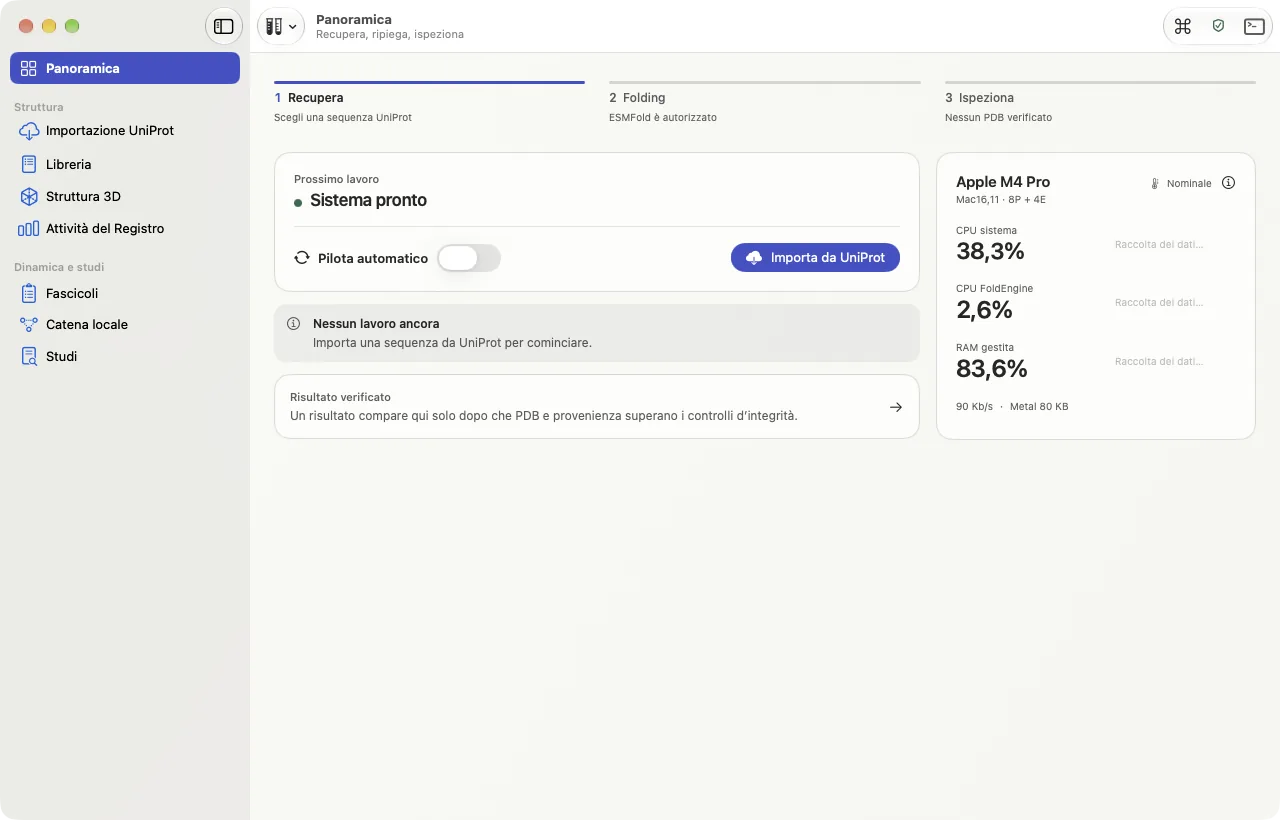
The Mac does the work.
The overview says whether the system is ready and what is running. The panel on the right reads the Mac's own CPU and memory: it is a monitor, not a figure from the engine.
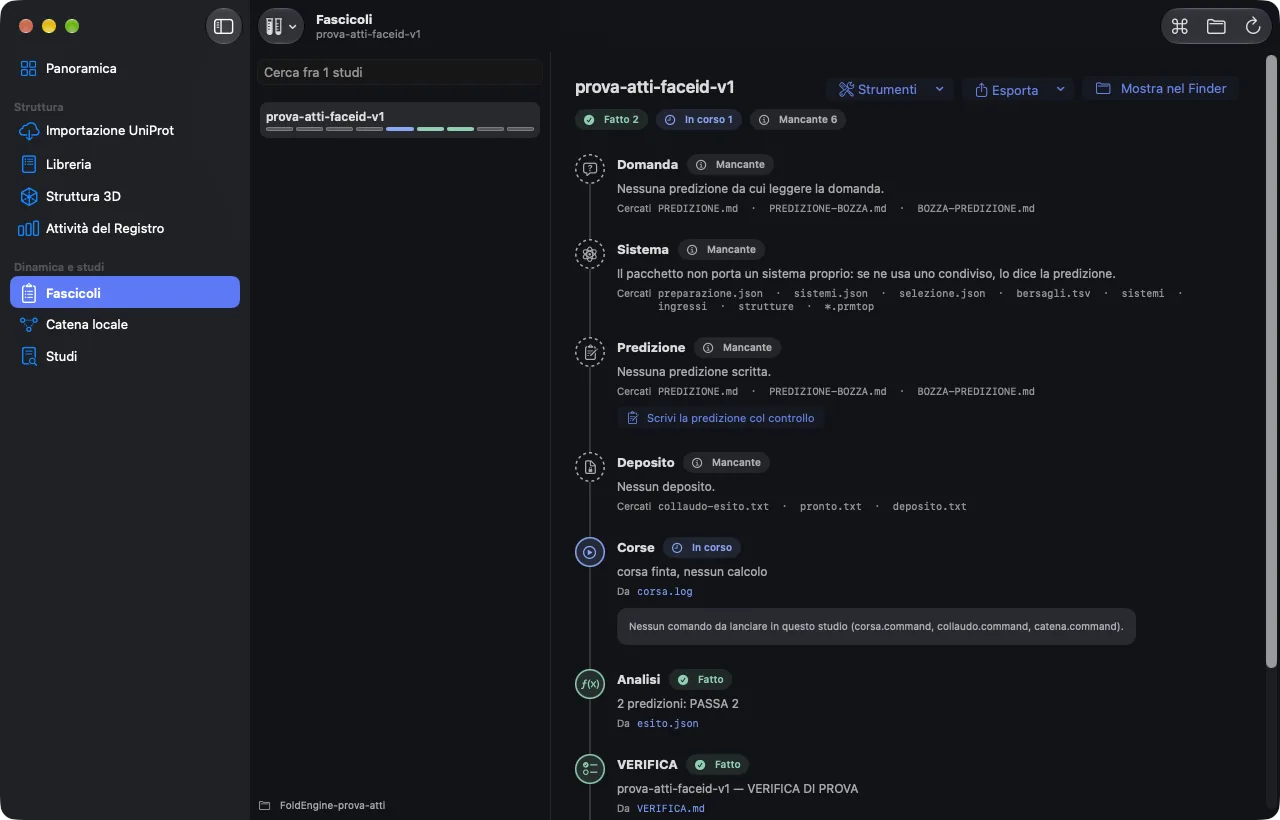
Every study keeps its file.
Question, system, prediction, run, verdict: a study is a file you can reopen, not a result to take on trust. Dark appearance follows the system setting.
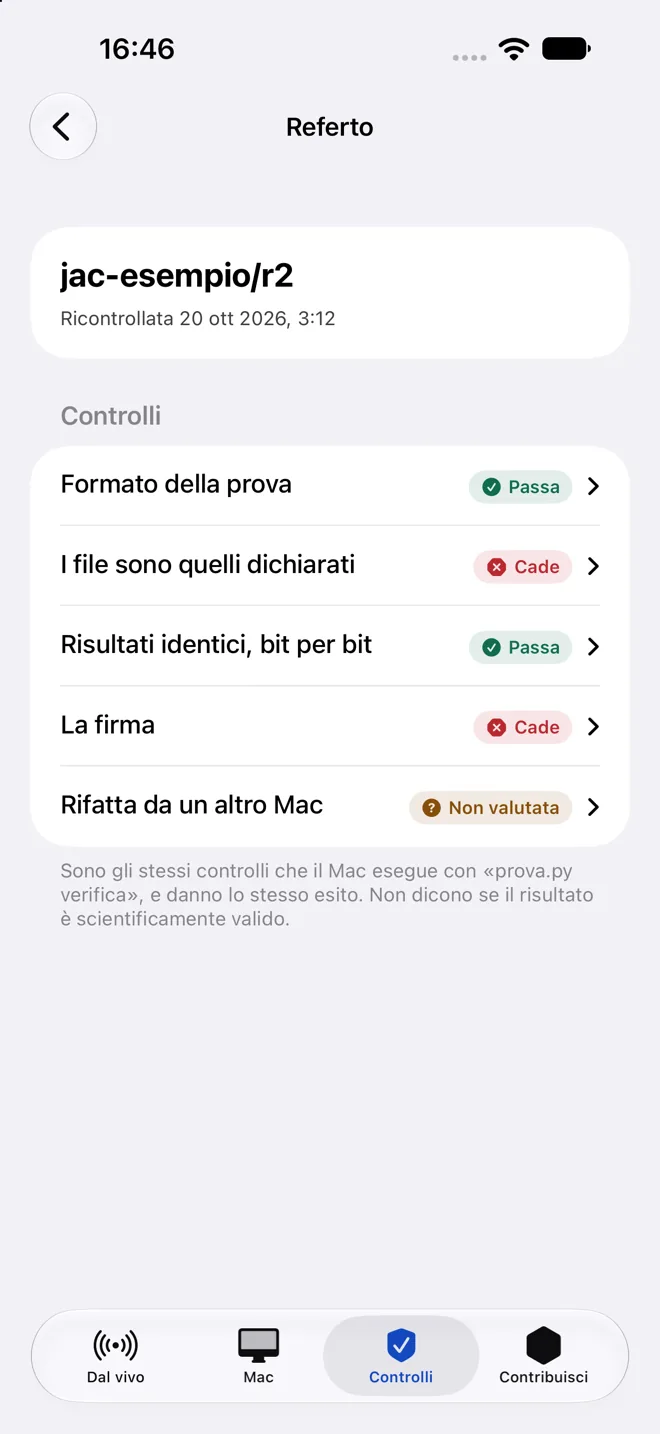
On iPhone, the report.
A report lists each check with its outcome in plain words: passes, fails, not evaluated. A check that was not evaluated says so, instead of disappearing.
Open it, and it spreads out.
On a folding device the app uses both halves: the list on one side, the detail on the other. The image below follows your light or dark setting.

What these screens do not say.
- They do not say the app is finished.They come from builds in testing, and one from a branch not yet merged.
- They do not show speed.How fast the engine runs is measured elsewhere, with its limits, in the register.
- Sample data are labelled.Where an image shows sample data, its caption says so. No screen shows a result that was not computed.